
Smartrac Learning Tutorial
Account Comparison
The Accounts Page
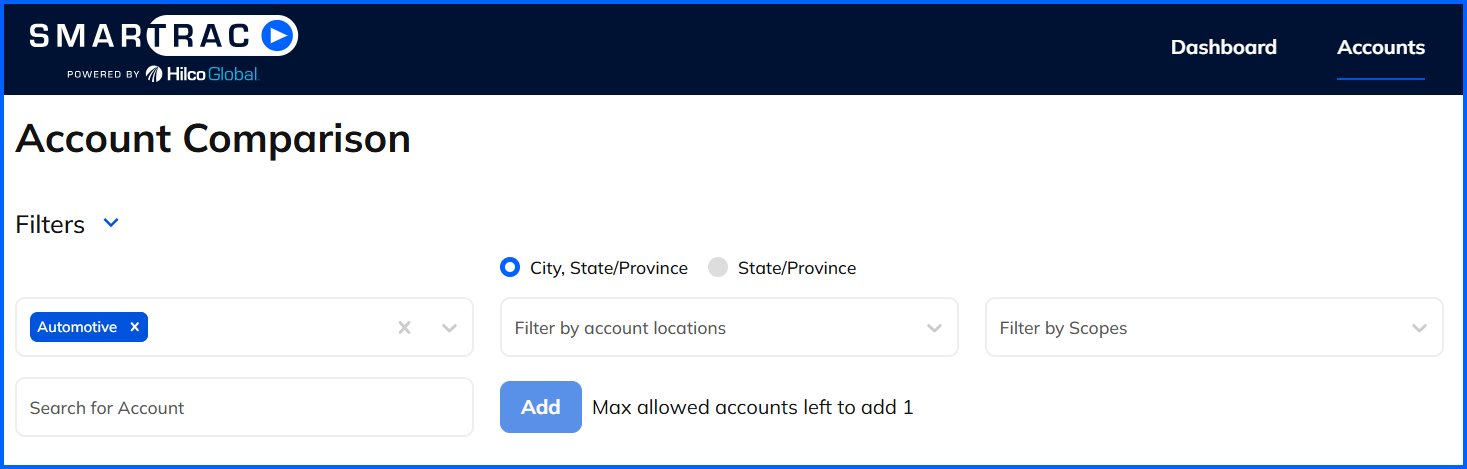
- You can filter the list of Accounts by Industry, City/State, State, or by Scopes, then by selecting an Industry from the list, or
- In the Search Account field, begin typing the Account Name you wish to compare and select it from the resulting list.
- Click Add.
- Repeat this process for the accounts you wish to compare. You can add up to 5 accounts.
Industry Exposure Tree Map on the Dashboard
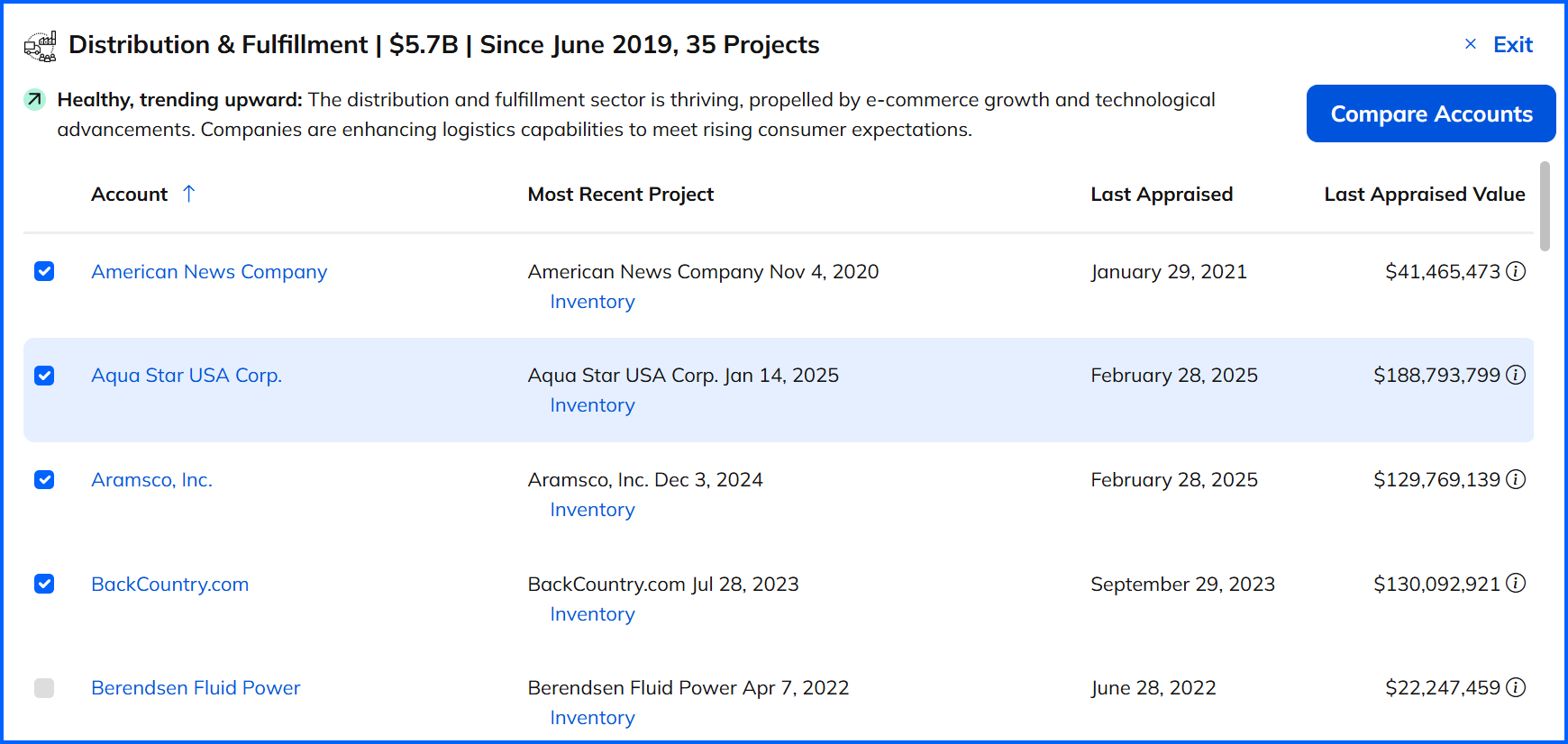
- Click on the desired Industry on the exposure tree map. On the resulting pop-up, select the accounts you wish to compare.
- Click on Compare Accounts at the bottom left of the pop-up.
- The Account Comparison page will appear, pre-filled with the selected accounts. You can add/delete accounts from this page, if desired.
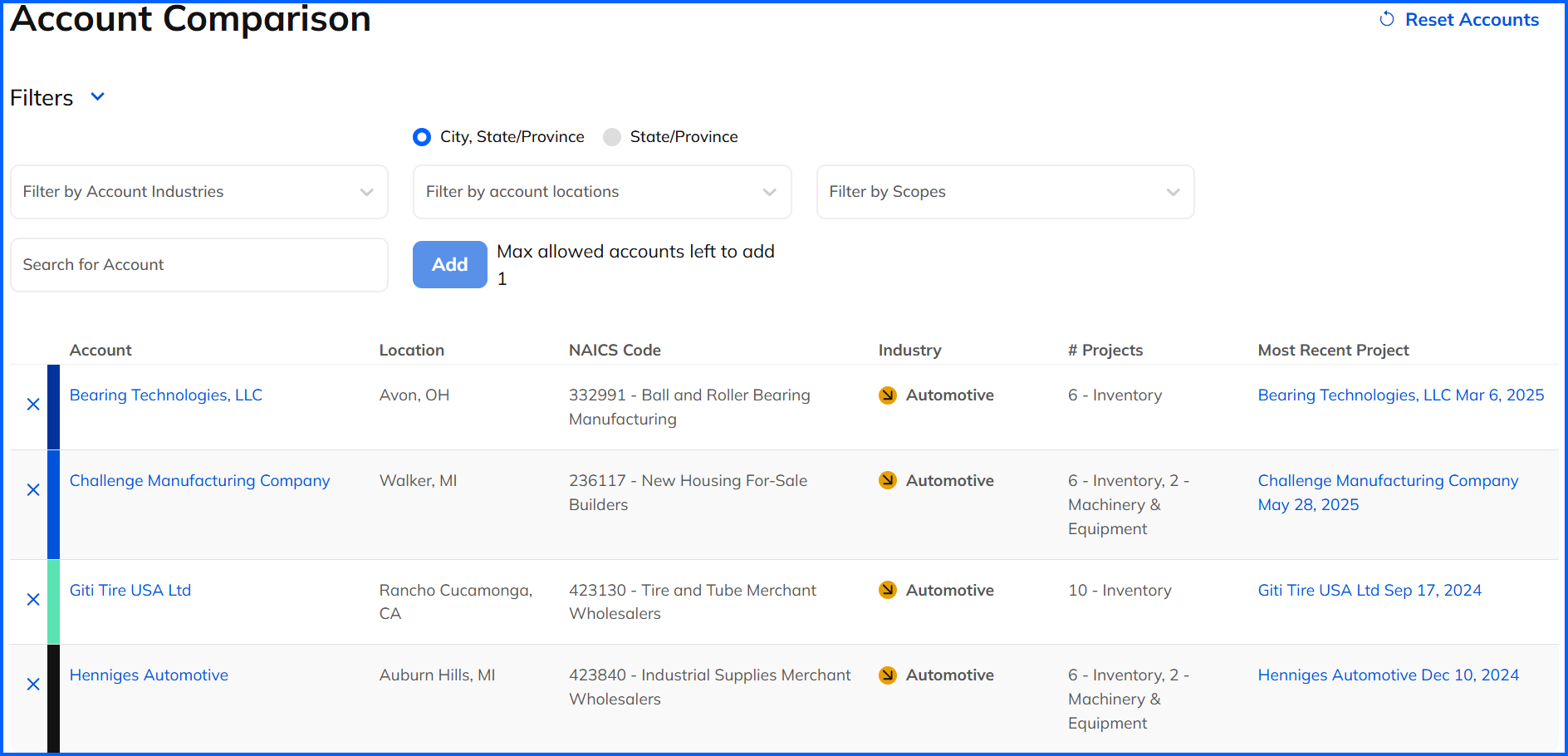

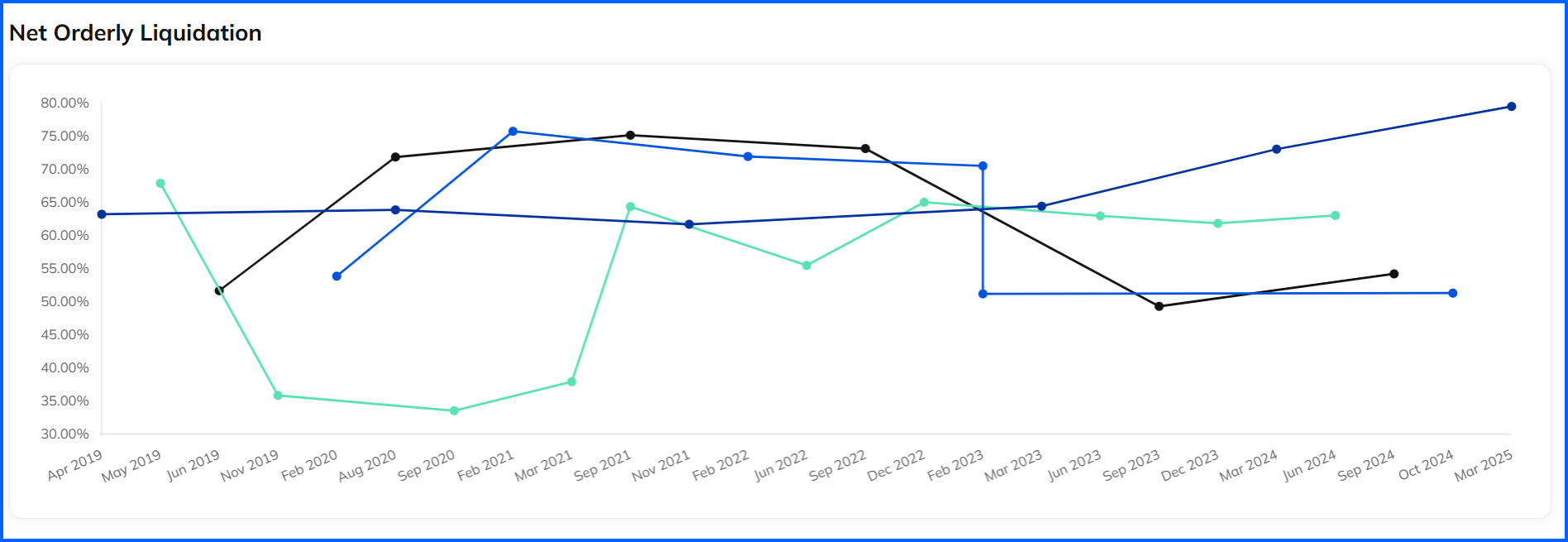
- The account list displays the name, location, NAICS, Industry, Project Scopes and most recent project link.
- The appraisal scope that has the most accounts represented will be displayed as default, but you can select a different tab, if available.
- You can toggle between graph and table modes by clicking on the desired icon on the right side. Please note that Field exams will only display in a table format.
- Any options available for the graphs/tables will be available in a pulldown list above the chart on the right side.
- If you wish to remove an account from the graph, click on the Account name in the legend and their representation on the graph will be removed.